
Patient tablet

A calmer way through the day.

MIA gives your loved one simple prompts, familiar faces, reassuring routines, and a direct line back to family.

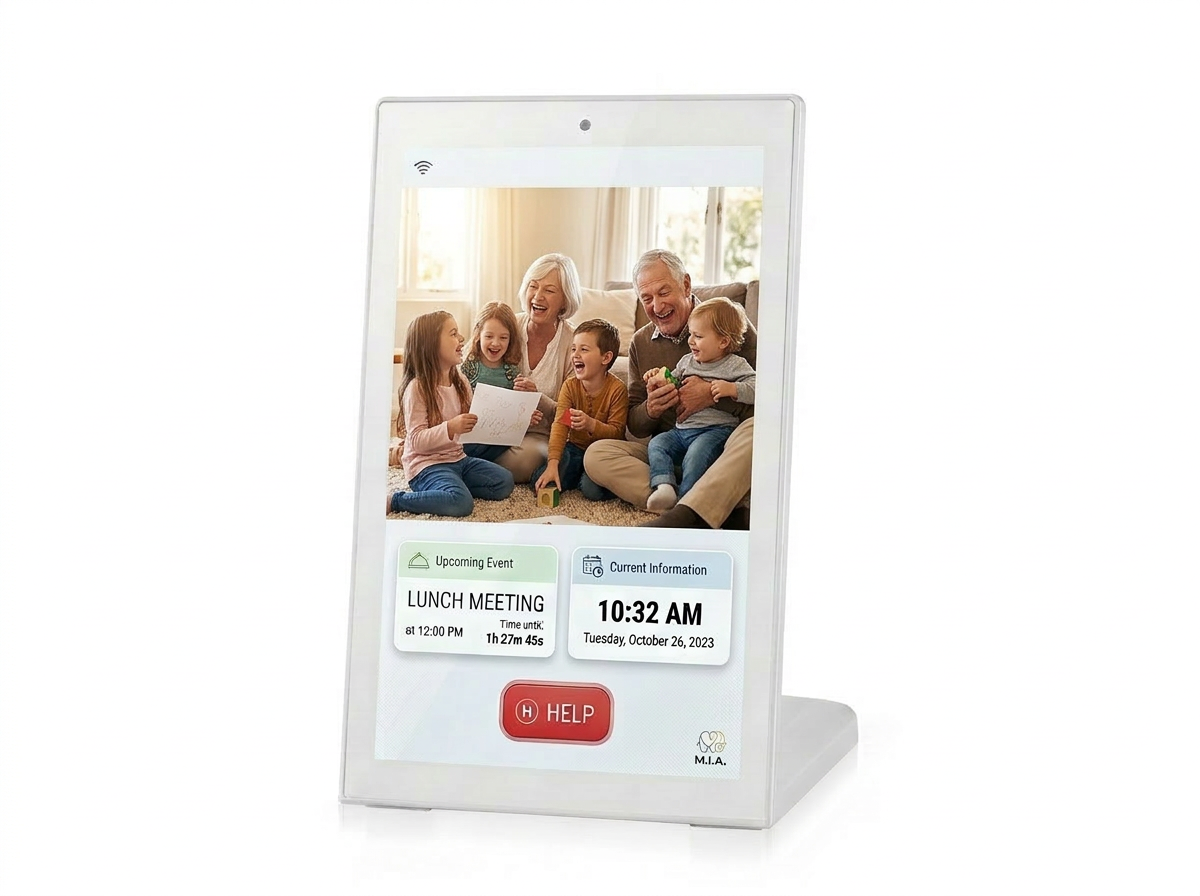
MIA patient tablet showing family memories and daily information

What MIA brings together

Simple for them.
Reassuring for you.

MIA keeps the patient experience clear and uncluttered, while caregivers can quietly manage reminders, messages, calls, photos, rest times, and updates.

01Calm home screen
24hDaily rhythm support
06Priority care moments

Daily dashboard

The day, made easier to read.

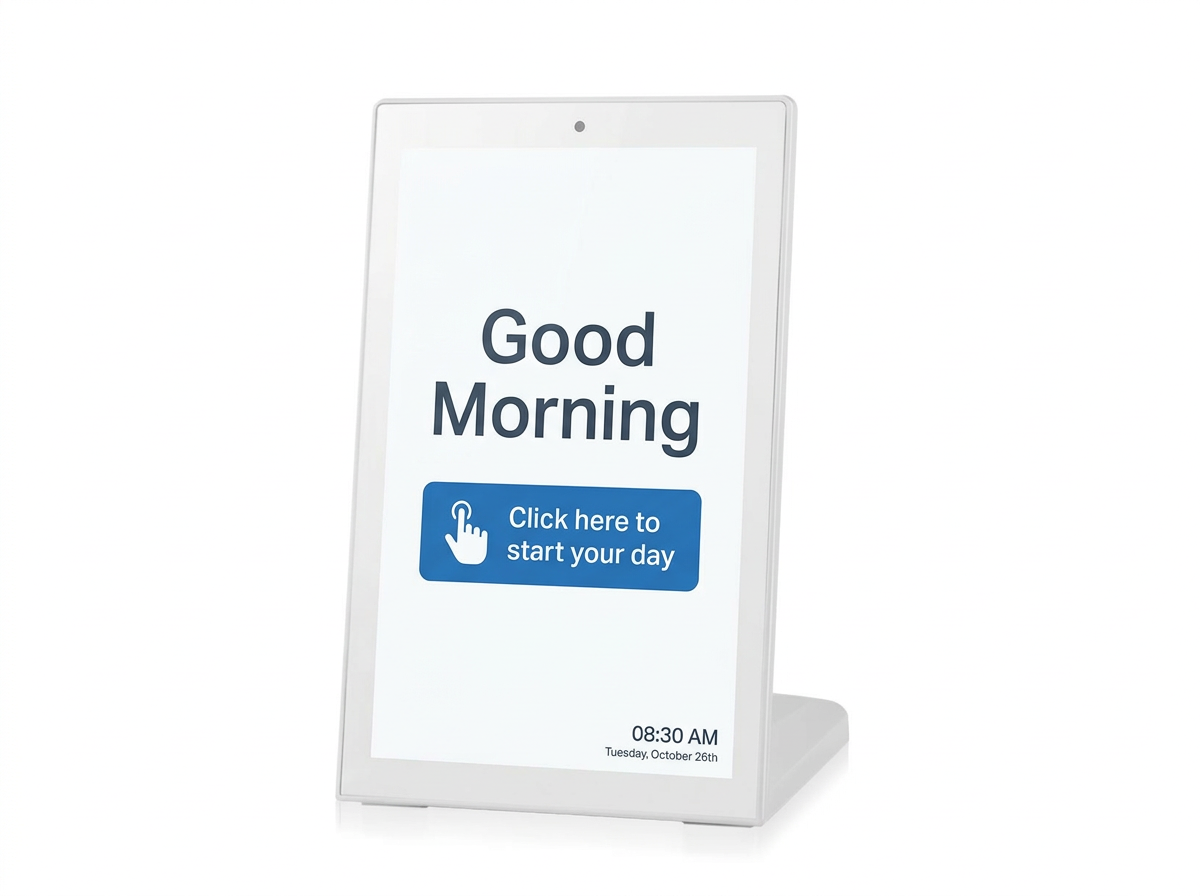
The home screen keeps the essentials visible: who they are, what time it is, what is next, whether someone has messaged, and how to ask for a call.

MIA tablet showing a good morning screen

Feature guide

Everything on the tablet, explained by the care it supports.

01

Easy to set up. Easy to trust.

  • Pair a new tablet with a simple 6-digit code, then let MIA prepare the patient profile automatically.
  • Keep the tablet linked to the right family and care circle without complicated setup screens.
  • Stay up to date in the background, so new reminders, photos, messages, and settings arrive quietly.
  • Recover gracefully after a restart, reconnect, or network interruption.
  • Share helpful device health details with the care system, including battery, charging, version, and volume.
02

A steady daily home screen

  • Show a warm greeting with the patient name, time, date, and day so orientation is always close by.
  • Bring the next important event forward, with a simple look at what is coming later today.
  • Add weather and location when it helps the day feel grounded.
  • Surface new family messages without burying them in menus.
  • Personalize the background, welcome video, daily quotes, and spoken voice to feel more familiar.
03

Gentle reminders that are hard to miss

  • Use full-screen medication prompts so important doses do not disappear into the background.
  • Show medicine names, quantities, instructions, and a clear "taken" action.
  • Support reminder videos and spoken guidance for moments when reading is harder.
  • Give advance notice before appointments, visits, meals, outings, or other planned events.
  • Let caregivers know when reminders are acknowledged or missed.
04

Family can reach them clearly

  • Show incoming calls in a large, unmistakable way, with the caller name and photo.
  • Support audio and video calls so family can be present without extra apps or steps.
  • Give the patient a simple "Please call me" request when they want reassurance.
  • Receive text, picture, video, and voice messages from caregivers.
  • Keep messages fresh and manageable, with caregiver photos and clear read status.
05

Familiar media, not empty screen time

  • Turn idle time into a family photo frame with captions, clock, and weather if desired.
  • Play supportive videos for reminders, greetings, and caregiver-recorded moments.
  • Offer radio stories and episodes that can be browsed, resumed, and played simply.
  • Keep audio available locally once prepared, so listening is less dependent on the momentary connection.
  • Refresh photos, background images, videos, radio, and quotes as caregivers update them.
06

Rest when the day should be quiet

  • Set quiet hours so the tablet can dim down or go dark during rest times.
  • Allow important medication prompts and incoming calls to wake the tablet when needed.
  • Suspend the display for planned periods without removing the care setup.
  • Dim after inactivity, then wake again when touched.
  • Use a photo frame, focus card, or gentle screen-protector pulse when the tablet is idle.
07

Designed to keep working

  • Store the day plan, messages, photos, videos, medication details, settings, and radio information on the tablet.
  • Keep key media available locally once downloaded, including photos, caregiver images, videos, and radio episodes.
  • Continue showing the current care routine even if the connection is temporarily unreliable.
  • Queue important confirmations so they can be sent again when the tablet reconnects.
  • Use Android alarm handling designed for reliable reminders, even when the tablet is saving power.
08

Made for a dedicated care device

  • Keep the tablet focused on MIA instead of becoming a general-purpose device.
  • Allow caregiver-managed device behavior such as timezone, brightness, wake, sleep, and suspended display.
  • Detect when a tablet update is available.
  • Provide diagnostics for support teams when something needs checking.
  • Offer protected maintenance access for Wi-Fi and tablet settings when hands-on setup is needed.
09

Personal to the household

  • Caregivers can tune brightness, volume, weather, radio, quotes, welcome video, quiet hours, and message limits.
  • Choose the speaking voice that feels most comfortable for the patient.
  • Set when the photo frame appears, when focus cards appear, and how often the tablet checks for updates.
  • Use custom videos for message arrivals, medication prompts, events, and pre-notifications.
  • Keep schedules aligned to the patient timezone so reminders arrive at the right local moment.

Reliability

Care technology that stays out of the way.

Native AndroidBuilt as a dedicated tablet experience, not a web page squeezed onto a screen.
Connected and cachedUpdates arrive from the care system, while important content remains stored locally on the device.
Focused modeThe tablet can be kept in a care-first experience, with support tools available when needed.

MIA is coming

A more reassuring day starts here.

MIA is designed to make care feel less fragmented: one calm tablet for your loved one, and one connected way for family to support them.